Branded Merchandise for Metrocrest: One Logo, Three Products
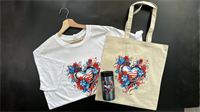
Branded merchandise works best when each item has a useful role. Staff shirts help customers recognize your team, tote bags carry purchases or event materials, and a small branded gift gives customers something to keep using. One approved logo can connect all three, with its size and placement adapted to each product.
For businesses in Addison, Carrollton and Farmers Branch, DTF Dallas offers finished custom shirts and totes, plus UV DTF Transfers for decorating compatible hard-surface gifts. You can order the fabric products with printing already completed and apply the hard-surface transfers without a heat press.
The starting point is a coordinated set built around what your business and customers will actually use.
Give Each Product a Job in Your Brand Set
Consider a Carrollton business preparing for a customer open house. Four employees need recognizable shirts, visitors receive tote bags containing information, and a selection of customers receives a branded reusable gift.
The same logo ties the set together, while each product serves a different purpose.
| Product | Useful role | What you order | Application responsibility |
|---|---|---|---|
| Staff shirt | Identify employees and present a coordinated team | Finished custom shirt, or a separate fabric transfer if you handle printing | DTF Dallas prints finished shirts; transfer-only customers apply their designs |
| Tote bag | Carry purchases, brochures or event materials | Finished printed tote, or a compatible blank and separate fabric transfer | Depends on whether you choose a finished product or self-application |
| Hard-surface gift | Put your logo on an item customers can keep using | UV DTF Transfer plus a compatible item to decorate | The transfer is applied with pressure, without heat |
Choose the products around the occasion. An Addison service business might prioritize staff shirts and document-carrying totes. A Farmers Branch retailer might use shopping totes alongside branded gifts for a customer event.
Your quantities can differ across the set. Staff numbers determine the shirt order; the distribution plan determines how many bags and gifts you need.
Make Staff Shirts Easy to Recognize
Custom logo shirts should help someone identify your team without having to read a crowded design.
A compact front logo suits employees who speak with customers at close range. For a busy event, a larger front design or a readable business name on the back may be more useful. Keep the logo proportions intact and choose a shirt color that gives the artwork enough contrast.
Review the design on the garment sizes you will actually order. A layout that looks balanced on an adult large may need adjustment on a smaller shirt. Check that lettering remains readable and that important details fit comfortably within the available print area.
DTF Dallas’s Custom T-Shirt options provide a finished-product route: choose the garment, supply the artwork and have the printing completed for you. With no minimum order quantity, a small team can order the shirts it needs and make smaller additions later, subject to product availability.
For shirts intended for repeated wear, print durability also matters. The company’s 100-wash test results document its shirt-print testing. Proper application and care remain important; that shirt result should not be treated as a durability claim for tote bags or hard-surface gifts.
Choose Totes People Can Put to Use
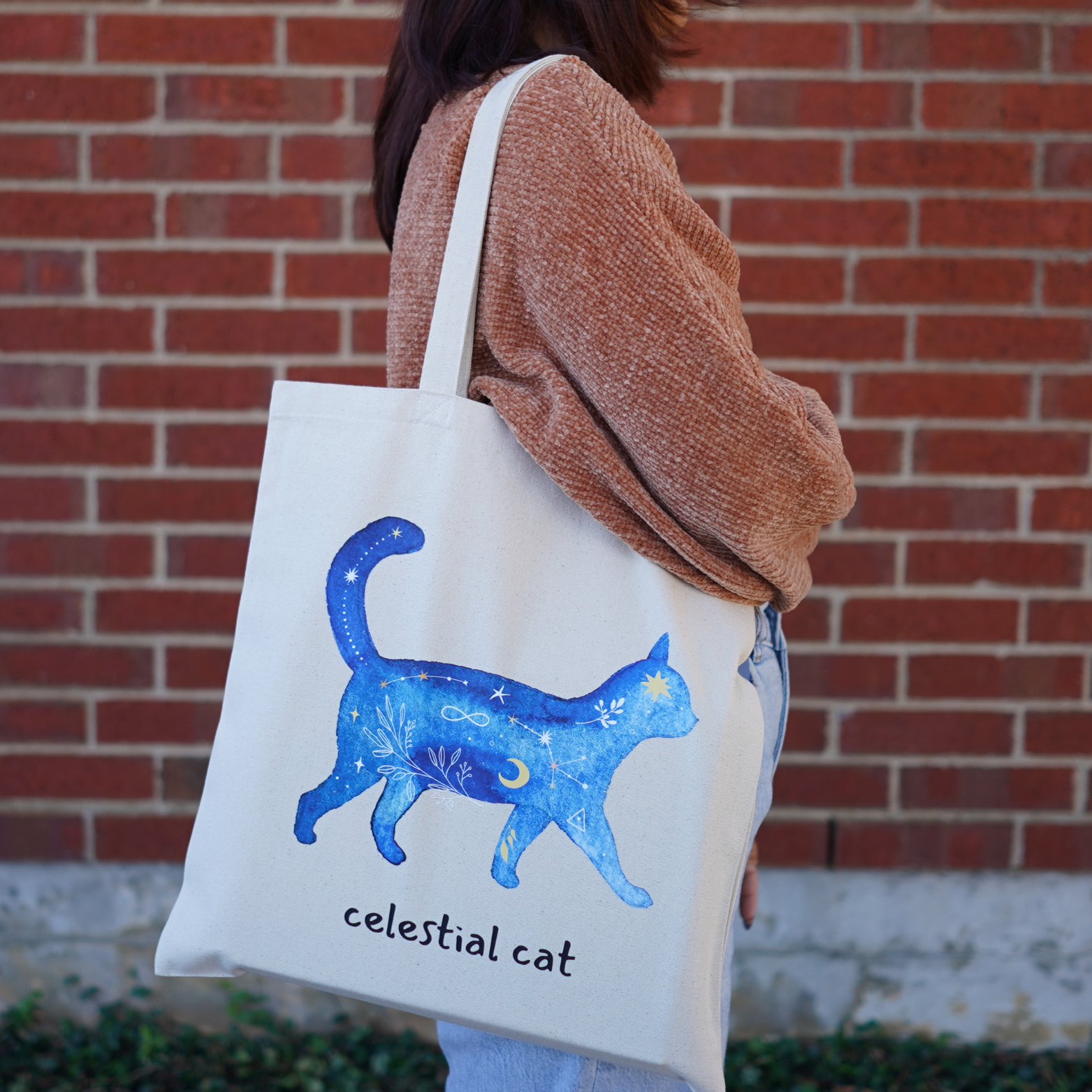
Custom tote bags earn their place in the set when their shape and carrying capacity match the contents.
Start by gathering what the recipient will carry. Brochures and a lightweight giveaway require a different bag from several boxed purchases. Compare the product dimensions, handle length, opening and any pockets or gussets with those actual items.
Then plan the logo around the usable panel. Keep it clear of seams, pockets and other construction details that interrupt the design. A simple central logo can work well on a broad canvas panel; a more compact layout may suit a smaller bag.
The Custom Tote Bag collection includes different canvas styles, giving businesses a way to choose the bag and have the artwork printed as a finished product.
If your business already has compatible garments, a suitable heat press and someone responsible for application, DTF Transfers provide a separate production route. For repeated logos or multiple fabric designs, DTF Transfer Gang Sheets consolidate the printed artwork onto a sheet. Cut the designs apart and apply them to individual items. The sheet supplies the transfers; it does not arrive as a set of finished shirts or bags.
Use UV DTF Transfers for Hard-Surface Gifts
For the third product, choose a gift with a suitable decorating surface. Examples include a smooth glass container, a compatible metal bottle or an acrylic item with enough space for a readable logo.
DTF Dallas’s UV DTF Sticker options use pressure-applied transfers for compatible hard surfaces. They require no heat press, iron or heat gun. Fabric shirts and totes use the separate garment-transfer process.
Check the exact surface before ordering a larger run. Materials and coatings affect adhesion. Smooth, clean, non-porous surfaces are the appropriate starting point; silicone, rubber, heavily textured finishes and flexible surfaces are unsuitable choices.
For several logo sizes or repeated designs, the UV DTF Gang Sheet Builder lets you upload individual artwork, enter dimensions and quantities, and arrange the sheet automatically or manually. Keep this order separate from fabric-transfer layouts because the products have different applications.
Apply the UV DTF Transfer in a controlled sequence:
-
Clean and dry the surface. Remove dust, oil, moisture and residue from the decorating area.
-
Prepare the transfer. Cut the required design from the sheet. With the white backing facing upward, press firmly with a squeegee before separating the backing.
-
Remove the backing carefully. If part of the design stays behind, lay the film back down and press that area again.
-
Position and apply. Align the design before contact. For a larger design, begin at one edge and gradually lay it onto the surface.
-
Press and remove the carrier. Work firmly from the center toward the edges, then peel the clear film slowly at a low angle. If an element lifts, replace the film and press that section again.
Include a short care note with the gift. UV prints are water-resistant, and handwashing with mild soap and a soft sponge helps preserve the decoration. Keep decorated items out of the dishwasher and microwave, avoid prolonged soaking, and do not scrub the transfer with abrasive cleaners.
Prepare Your Logo and Check Each Product
Start with the current approved logo file. Preserve its proportions, lettering and identifying features while adapting the size and placement for each item.
For most DTF Dallas artwork submissions, a transparent PNG at 300 DPI at the intended print size is recommended; PDF files are also accepted. CMYK color settings are recommended. Remove unwanted backgrounds and submit the design in its normal, readable orientation without mirroring it.
Review the smallest planned version first. A tagline that reads clearly across a tote may become too small on a compact gift. Use an approved simplified logo variation where available, or increase the design size within the product’s usable area.
Check contrast on the actual product color. Clear items deserve particular attention because the background behind the object can affect how the logo reads. A digital preview helps with layout, while a physical sample lets you examine the real surface and finish.
First-time customers can use the Free Sample Pack to try four fabric transfers and one UV DTF Transfer. DTF Dallas selects the designs and sizes, so the pack supports material and application testing rather than providing a proof of your own logo. Shipping is free when ordered alone. It can also accompany custom or blank apparel with apparel shipping charges, but cannot be combined with fabric-transfer or UV DTF Transfer product orders.
Check the Set Before Ordering
Keep one record for the entire project, with separate specifications for each product:
-
Logo: Approved version, spelling, colors and any permitted simplified variation.
-
Shirts: Garment style, color, sizes, quantities and print placement.
-
Totes: Model, dimensions, carrying needs and artwork position.
-
Gifts: Exact surface, transfer dimensions, quantity and application responsibility.
-
Timing: Required distribution date, production allowance and collection or shipping plan.
-
Ownership: One person responsible for final approval and order details.
DTF Dallas offers shipping and free local pickup. Carrollton local pickup can be convenient for Metrocrest businesses, including locker collection after the separate ready-for-pickup notification. Check Pickup Locations for current instructions and wait for that ready message before traveling.
For shipped orders, review the Shipping Policy. Product categories have separate conditions, so plan around when each part of the set is needed. For questions about artwork, product suitability or coordinating the order, use Contact Us.
A coordinated set gives each product a purpose: shirts identify your people, totes carry something useful, and compatible gifts extend the same visual identity to another everyday item. Keep the logo recognizable, prepare each product correctly and save the specifications for the next order.
DTF Dallas
-
Sam Gencer Founder & President
- November 04, 2026
- (469) 769-8949
- Send Email